Free footage

Stop hunting for stock footage. Paste your script and it finds every clip.

Finding footage for every line takes hours, or money if you pay someone to do it. Clip Finder reads your whole script, finds 1 to 3 free videos or images for every sentence, checks each is allowed on YouTube, and downloads them, numbered in order. Where nothing free fits, it hands you a ready prompt to make the exact shot.

Find my clips → $27 one time · runs in the Claude desktop app · delivered inside Tuberalchemy

No hours of searching. No paying someone to do it. No guessing licences.

160,000
people learn faceless YouTube on Monsguide
5,000+
creators have my skills
1080p
every clip it downloads
See it work

You paste a script. It fills the folder.

A real run inside Claude: paste your script, it plans, searches, downloads and checks, then opens your results page.

Claude · Clip Finder
You
5 sentences. I read the whole script first and wrote what each line should show, then searched Pexels, Unsplash, Pixabay, Mixkit, Coverr and Wikimedia for videos and images.
What each line should show

1 the Titanic, a 1912 liner with four funnels · 2 a lone iceberg at night · 3 the band on a tilting deck · 4 crowded lifeboats · 5 the wreck on the sea floor

the whole script, not single words
You
Done. 13 files, 7 videos and 6 images, numbered in script order, each with its licence. I looked at every one before calling it.
Exact

Lines 1 and 5: a real public domain photo of the Titanic, and a wreck on the sea floor

1080plicence listed
Close, not exact

Lines 2 to 4: no free footage shows a lone iceberg at night or a band on a tilting deck

what is missing, noteda ready prompt for the exact shot
Results page

Every line next to its clips

opened
Your clips · the results page opens
13files (7 videos, 6 images)
2exact
3close, not exact
0nothing found
1Exact

The Titanic carried more than two thousand people across the Atlantic in April 1912.

Should showthe Titanic, a 1912 ocean liner with four funnels, steaming across the open Atlantic
VIDEO
Pixabay
IMAGE
Wikimedia Commons
3Close, not exact

The ship's band kept playing as the deck tilted.
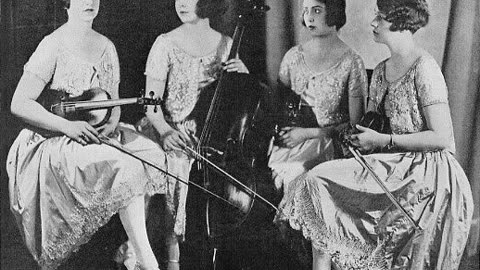
Should showmusicians playing violins and a cello on a tilting ship deck
Missing: musicians in a hall or studio, not on a tilting ship deck
Make the exact shotmusicians playing violins and a cello on a tilting ship deck, photoreal, natural light, 16:9, no textCopy prompt
VIDEO
Pexels
IMAGE
Wikimedia Commons
IMAGE
Pexels
5Exact

The wreck was not found until 1985, two and a half miles down.
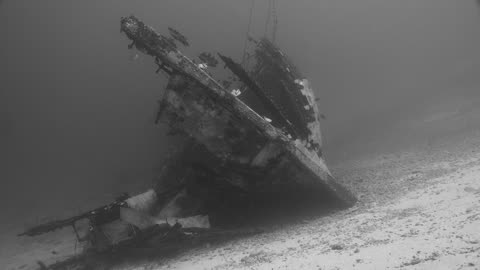
Should showa rusted shipwreck on the dark deep ocean floor, lit by a submarine lamp
VIDEO
Pexels
VIDEO
Coverr
IMAGE
Pexels
Showing 3 of 5 sentences from the real run.

A real run. What it finds depends on your script: history and night scenes often land on close, and that is what the prompt is for.

Hours of searching, or one message.

Searching yourself, or paying someone
Clip Finder
Time
Hours, scene by scene, site by site
One message for the whole script
Cost
Your evening, or an editor's fee
$27 once
Finding clips
One free site at a time
Every free library, for every scene
Licences
Guess, or skip checking
Shown next to every clip. Unclear ones are never downloaded
File names
clip (37).mp4
01_desert-sunrise.mp4, in script order
No exact clip exists
Settle for something close
Graded close, with what is missing and a ready prompt for the exact shot

Your folder drops straight into DaVinci Resolve or CapCut, already in order.

This is for you if

You run a stock footage channel

Every video needs dozens of clips. This finds them all in one go.

AI pictures cost too much

Free footage for most scenes, and an image prompt only where nothing fits.

You make history or documentary videos

It knows the public domain archives, so old footage comes with its licence.

Same person. Same channel. Different Tuesday.

Searching by hand
"Still on scene 12"
With Clip Finder
"The folder's ready"
Getting footage
Searching by hand
With Clip Finder
Finding a clip
Search site after site
Every free library searched for you
The licence
Read the small print, or don't
Next to every clip
Downloading
One at a time, any size
All at 1080p
Naming
Rename them so you can find them
Numbered in script order
No clip exists
Give up on the scene
An image prompt for it

Always check a clip's licence on the preview page before you publish.

What it doesn't need from you

  • No stock subscription
  • No API keys
  • No searching site by site
  • No guessing licences
  • No renaming files
  • No team

Where the saving actually comes from

Hours back
Every video

No searching site by site, no renaming, no checking each licence by hand. It does the whole script in one go.

$0 a month
No stock subscription, no one to pay

Free libraries and public domain archives, so there's nothing to subscribe to and no editor to hire for it.

One folder
In script order

Numbered and named, so editing starts the moment you open it.

The script took an hour. The footage took the whole evening.

One site, then another. Download, rename, check the licence, then do it again for the next scene. Or pay someone to do it for you.

It works. It's slow or it's paid, and one wrong clip can cost you more than the time.

What I hear all the time

"Where do you get your footage?"

"Is this allowed on YouTube?"

"Can I do it cheaper?"

By hand

Scene 12 of 94, three tabs open, and still not sure the last clip was free to use.

With Clip Finder

Every scene filled, every licence listed, one folder.

What Clip Finder hands you

🎬
ClipsOne per scene
📄
LicencesNext to each clip
📁
One folderIn script order
🖼️
Image promptsWhere nothing fits
👀
Preview pageScript next to clip

What you get

✓

Clip Finder for the Claude desktop app. Ask Claude to set it up and it installs itself.

✓

Licence safe footage. Only clips with a clear licence for YouTube, or public domain, go in the folder.

✓

Numbered in script order. Drop the folder into DaVinci Resolve or CapCut and the clips are already in order.

✓

A preview page. Every line of your script next to its clip and its licence.

✓

Every pick checked. Each sentence is graded exact or close after Claude looks at the clips, with what is missing and a ready prompt for the exact shot.

✓

1 to 3 picks per sentence. Videos and images, so you always have a choice. Split per sentence, every 10 seconds or per paragraph.

✓

Help inside Tuberalchemy. In the buyers' space on Skool, where I'm in there too.

✓

Updates included: when I improve the skill, you get the new version at no extra cost. Same place you got it, nothing to buy again.

Hey, I'm Monique.

I run Monsguide on YouTube. 160,000 people learn faceless YouTube there.

One thing to know: Monsguide itself isn't a faceless channel. I teach on it.

I build the tools, then use them on camera to make real videos. There are 22,000+ downloads of my skills, prompts and templates, and 5,000+ creators have my skills.

I tested which free libraries download cleanly before building this, so it only uses the ones that work.

"You make money teaching, not doing." I hear this one a lot.

Yes, I make money teaching. That's no surprise, it's what Monsguide is. I build the tools, then I use them on camera to make real videos, so you can watch them work before you pay a cent. I'm not selling you my income. I'm selling you the tools I use.

Public Domain Footage Guide
Bonus PDF · free footage you can use
Government archives
WhatOld newsreels, history and science footage
CheckThe usage note on each item
Space agency footage
WhatLaunches, planets, astronauts
CheckThe credit line it asks for
Old films
WhatSilent films and old newsreels
CheckThe year and the country
Bonus, a $12 value

The Public Domain Footage Guide (PDF)

23 archives and open collections of old films, government footage, space footage and more that are free to use, plus 5 free stock sites (marked as not public domain), what each one is best for, and how to check a licence in under a minute.

So you know a clip is safe before it goes in your video.

Included free with your purchase.

Get Clip Finder

Pay once. Use it on every script.

One time
$27

Clip Finder

Delivered inside Tuberalchemy, my community on Skool, in a private space for buyers.

Updates included: when I improve the skill, you get the new version at no extra cost.

  • Clip Finder, set up by Claude
  • Licence safe videos and images, 1 to 3 per sentence
  • Numbered folder + preview page
  • Image prompts for the gaps
  • Help in the buyers' space
  • Bonus: The Public Domain Footage Guide (PDF) (a $12 value)
Yes, find my clips →

Digital product. All sales are final. Needs a computer and a paid Claude plan.

How it works

1

Pay

One time.

2

Your invite lands

Your Skool invite comes by email. Inside: the builder and a short setup video.

3

Say "set me up", then paste your script

Your clips land in one folder, ready for your editor.

Your invite arrives by email right after you pay.

This isn't for you if

  • You only have a phone. It runs in the Claude desktop app on a computer.
  • You want it to edit the video. It finds and downloads the clips. You edit them.
  • You want other people's YouTube videos. It never takes them. Free libraries and public domain only.
  • You want someone to swear you'll get views or income. Nobody honestly can.

I guarantee it runs.

If it won't run on your computer, reply to your delivery email and I'll help you get it working.

Digital product. All sales are final.

Views, subscribers and income depend on YouTube and on you, so nobody can honestly sell you those.

Terms and conditions apply.

Questions

Starting with the big one: is this allowed on YouTube?

It only downloads clips with a clear licence for YouTube, or public domain footage, and it shows the licence next to each one. Anything unclear is listed for you to check, never downloaded. It never takes other people's YouTube videos. Always check the licence on the preview page before you publish.
Free stock libraries and public domain archives, like government and space agency footage and old films that are free to use.
No. A free Pexels key is optional if you want even more clips.
No. It finds and downloads the clips. You edit them in DaVinci Resolve or CapCut.
A computer and a paid Claude plan. It runs in the Claude desktop app, so you never open a terminal.
Yes. It works on Mac and Windows. I made it on a Mac and tested every builder on Windows, and each one made a real video. Renders are fastest on a computer with a graphics card. The setup check tells you what your computer has and how long a video will take.
No. The browser chat can't download files or save them to your computer, so Clip Finder runs in the free Claude desktop app on Mac or Windows. Your clips land in a folder on your computer, and the preview page opens in any browser.
Delivered inside Tuberalchemy, my community on Skool, in a private space for buyers. Your invite arrives by email right after you pay.

Stop hunting for footage.

Paste your script. Every clip found, checked and in order.

I need this. I'm in, Monique! → $27 one time · runs in the Claude desktop app · delivered inside Tuberalchemy
Results vary and depend on the work you put in. Views, subscribers and income depend on YouTube and on you, so nobody can honestly sell you those.
© Tuberalchemy

Privacy policy

Overview

When you fill out a form on this site, you give us your contact information so we can deliver what you asked for. You'll also receive emails from Monique and TuberAlchemy with steps, tools, and useful, relevant offers. By submitting a form, you consent to receiving these emails. Every email includes an unsubscribe link.

If you buy something from us, like a custom skill build, we also use your information to take your payment, build what you ordered, and deliver it.

What we collect

From our forms and surveys: your name, your email address, and your answers to any questions we ask.

When you buy: your name, email address and billing details such as your country. Card payments are handled by Stripe, our payment provider. We never see or store your full card number.

For a custom build: what you send us in the build form, such as channel links, reference images, thumbnails, and notes about your voice and style.

When you visit: like most websites, basic visit information (pages viewed, device type), and which link or email brought you here, so we know what's useful.

How we use it

To deliver what you asked for, send you our emails, take payments, build and deliver your order, give you access to anything included with it (for example a personal Video Sync access code), and improve what we build.

Trusted service providers process this information on our behalf to make that possible: our email and customer platform, Stripe for payments, our website and tool hosting, and Skool for the community. They act on our instructions and for no other purpose.

Your build files

Anything you send us for a custom build is used only to build your skill. It is not given to anyone else, not published, and not used in a tutorial. We will never feature your channel without asking you first.

Advertising and tracking

Our pages use the Meta pixel, a small piece of code from the company behind Facebook and Instagram. It tells us anonymously that someone visited a page or filled out a form, so we can show relevant ads to people who have already been here. We do not use it to send them your name or your email address.

If you would rather not be included, you can turn off ad personalization in your Facebook or Instagram settings, or block tracking in your browser. Either way, it does not affect anything you have asked us to send you.

Our community runs on Skool, which is a separate service with its own privacy policy covering anything that happens once you are inside it.

How long we keep it

We keep your contact information while you're on our list or a customer. Purchase records are kept for as long as tax law requires, which in Canada is generally six years. Build files are kept so we can handle your round of changes and any questions, and you can ask us to delete them at any time after your build is delivered.

Where we are

TuberAlchemy is run from Canada. Some of our service providers store or process information in the United States and other countries.

What we don't do

We do not sell your information. We do not rent it. We do not share it with anyone for their own marketing.

Your choices and data removal

Every email includes an unsubscribe link, and it takes effect immediately. You can also ask us for a copy of the information we hold about you, ask us to correct it, or ask us to delete it entirely. Reply to any of our emails or contact us at the address below and we'll take care of it. We may need to keep purchase records that the law requires us to keep.

Contact

For any questions about this policy, email us at monsguide@mail.tuberalchemy.com.

Changes to this policy

If this policy changes, the current version will always be posted on this page, with the date above updated to match.

© 2026 TuberAlchemy. All rights reserved.

Terms and conditions

Clip Finder

What is delivered

Clip Finder for the Claude desktop app, a setup video, and access to the buyers' space in Tuberalchemy on Skool.

Requirements

A computer and a paid Claude plan.

Licences

Clip Finder shows the licence for every clip. You are responsible for checking each licence before you publish.

Refunds

This is a digital product and all sales are final. If it won't run on your computer, reply to your delivery email and I'll help you get it working.

Files and licence

For your own channels. Not to be resold, shared, redistributed or repackaged.