

Here are your free Flat 2D prompts. Or let code make the whole video.
Copy the free prompts below. Or let the Flat 2D builder draw and edit the whole video with code, on your computer. No image credits.
Show me the prompts → Prompts free · the builder is $37 one time · Flat 2D onlyFlat 2D, drawn with code.
Every frame drawn and edited by code. No image credits, no clip credits.
Your free Flat 2D prompts for Claude
Paste one into Claude and it draws the picture with code. No image credits.
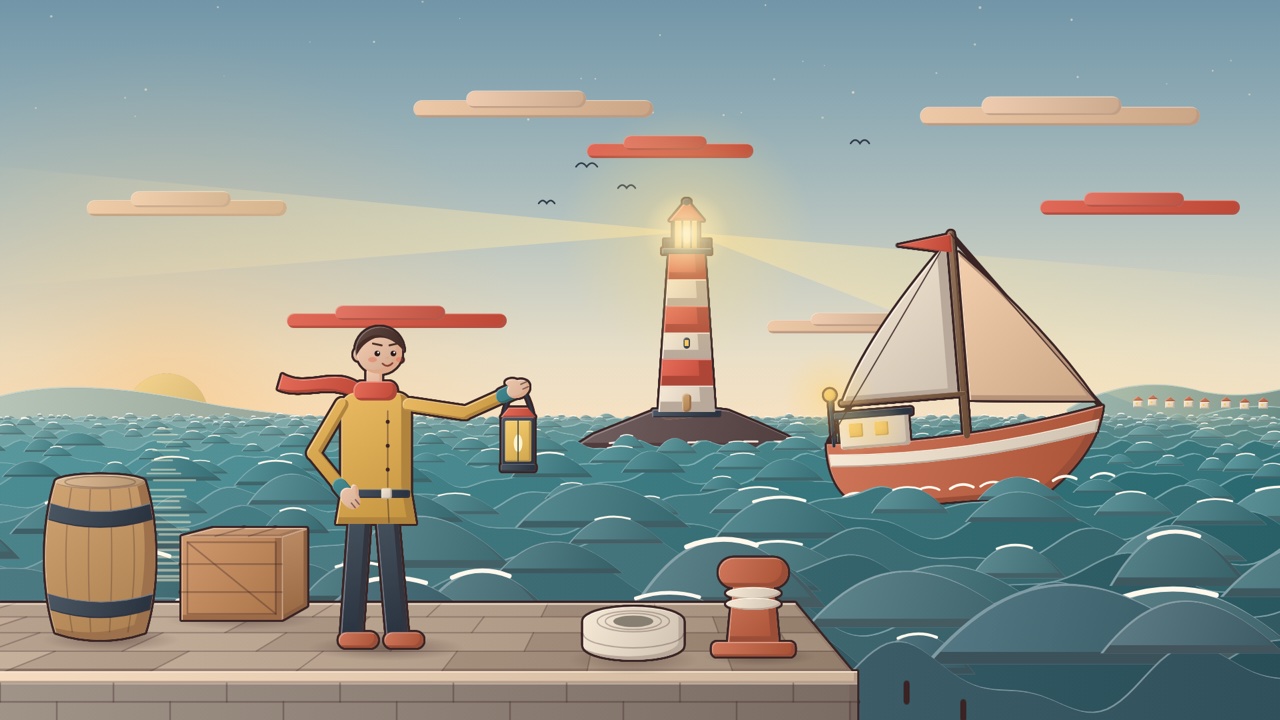
Prompt 1: a person at work
Draw one picture in a Flat 2D explainer illustration style, as code. Subject: [a lighthouse keeper on a stone pier at dusk, holding a lantern, a ship on rough sea behind him]. LOOK: every shape is ONE flat base colour built three ways: a soft lit gradient (about 14 percent lighter at the top left, 16 percent darker at the bottom right), a hard edged darker shadow band on the side away from the light, and a thin lighter rim on the side toward it. Each whole figure or big object gets ONE outline in #3B2626, 3 px, drawn round the outside only. Walls and floors are drawn in perspective with a few panel or plank lines. Finish the whole frame with a very light warm grain (tiny random dots at 4 percent opacity) and a soft vignette. No textures, no photos, no realistic shading, no thick black cartoon outlines. PALETTE: peach wall #F2C7A0, terracotta #C8613F, mustard #E8B04A, teal #2F7F86, coral red #E2553F, slate #2E3A4A, wood #C9955C, cream #F5E6D0, sky #9FD3E6 to #F6E1C2. PEOPLE: one friendly puppet design for everyone: about 7.5 heads tall, a round head, a big simple face (two dark dot eyes with a tiny white glint, short eyebrows that show the mood, a small curved mouth, soft blush ovals), a rounded body, long thin arms that bend at the elbow, mitten hands with a separate thumb and two short finger lines, slim legs, rounded shoes. Men: short cropped hair, a squarer torso. Women: hair to the shoulder or a bun. Generic light skin #F2C4A4 with its shadow band #DDA889 unless the subject says otherwise. LAYOUT: a medium wide shot. The main person stands in the near ground on the left or right third, about 45 percent of the frame height, turned three quarters toward the camera, with one clear action pose. The place is dressed in three layers: big props beside the person in the near ground, the main setting in the middle ground, small far shapes (hills, buildings, a coast) near the horizon line at about 58 percent of the height. Water is layered wave bands with small white crest strokes, never cloud shapes. Light comes from the upper left; glowing things (lamps, windows, a lantern) get a soft round glow. BUILD: one single self contained HTML file with a 1920 by 1080 canvas drawn with the 2D canvas API (no libraries, no images, no external files, everything drawn with code), page margin 0, the canvas scaled to fit the window at 16:9. Write small helper functions first (for example person(), shadow(), outline()), then draw back to front: sky, far, middle, near, people, foreground, finish. Use a seeded random number function so the picture is the same every time. SIZE RULES: decide the ground line first. Every person and thing gets its real height in metres and is drawn at one scale for its depth (a standing adult is 1.7 m, a door 2.1 m, a table 0.75 m, a car 1.5 m tall, a tree 6 to 10 m, a house 7 m): things farther away are smaller and higher on the screen, never bigger than a nearer person unless they are really bigger. Every foot stands on its ground line with a small soft contact shadow. Compute each hand position first and draw anything held so its handle sits exactly on that hand. Nothing passes through anything else. CHECK BEFORE YOU ANSWER: at the top of the script write a short comment table: each person and thing, its real height, its pixel height and where it stands. Fix anything whose size is wrong for its depth, any floating or cut off feet, any held thing not touching a hand, anything important cut by the frame edge, and any face covered. The subject in the brackets must be obvious at first glance. Output the HTML file only, shown as an artifact, with no explanation.
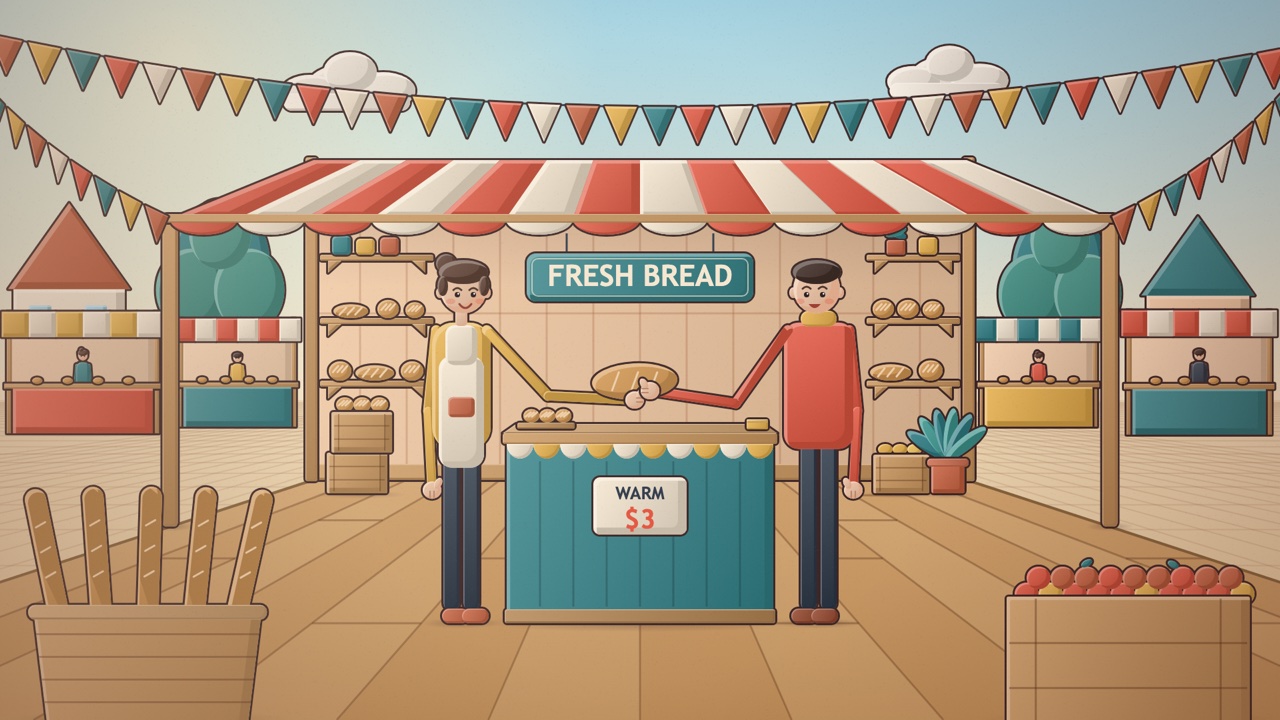
Prompt 2: a place with an action
Draw one picture in a Flat 2D explainer illustration style, as code. Subject: [a baker handing a loaf to a customer at a market stall, bunting overhead]. LOOK: every shape is ONE flat base colour built three ways: a soft lit gradient (about 14 percent lighter at the top left, 16 percent darker at the bottom right), a hard edged darker shadow band on the side away from the light, and a thin lighter rim on the side toward it. Each whole figure or big object gets ONE outline in #3B2626, 3 px, drawn round the outside only. Walls and floors are drawn in perspective with a few panel or plank lines. Finish the whole frame with a very light warm grain (tiny random dots at 4 percent opacity) and a soft vignette. No textures, no photos, no realistic shading, no thick black cartoon outlines. PALETTE: peach wall #F2C7A0, terracotta #C8613F, mustard #E8B04A, teal #2F7F86, coral red #E2553F, slate #2E3A4A, wood #C9955C, cream #F5E6D0, sky #9FD3E6 to #F6E1C2. PEOPLE: one friendly puppet design for everyone: about 7.5 heads tall, a round head, a big simple face (two dark dot eyes with a tiny white glint, short eyebrows that show the mood, a small curved mouth, soft blush ovals), a rounded body, long thin arms that bend at the elbow, mitten hands with a separate thumb and two short finger lines, slim legs, rounded shoes. Men: short cropped hair, a squarer torso. Women: hair to the shoulder or a bun. Generic light skin #F2C4A4 with its shadow band #DDA889 unless the subject says otherwise. LAYOUT: a medium shot where two people share the frame, each about 50 percent of the frame height, facing each other across the main prop (a counter, a table, a stall) which stands between them at waist height (about 0.9 m). The thing being handed over is held in the giver's hand and touched by the receiver's reaching hand at the same point. Behind them a dressed background (shelves, crates, plants, signs, bunting, other stalls smaller and farther away), in front a few props overlapping the bottom edge. Sunny high key light from the upper left. BUILD: one single self contained HTML file with a 1920 by 1080 canvas drawn with the 2D canvas API (no libraries, no images, no external files, everything drawn with code), page margin 0, the canvas scaled to fit the window at 16:9. Write small helper functions first (for example person(), shadow(), outline()), then draw back to front: sky, far, middle, near, people, foreground, finish. Use a seeded random number function so the picture is the same every time. SIZE RULES: decide the ground line first. Every person and thing gets its real height in metres and is drawn at one scale for its depth (a standing adult is 1.7 m, a door 2.1 m, a table 0.75 m, a car 1.5 m tall, a tree 6 to 10 m, a house 7 m): things farther away are smaller and higher on the screen, never bigger than a nearer person unless they are really bigger. Every foot stands on its ground line with a small soft contact shadow. Compute each hand position first and draw anything held so its handle sits exactly on that hand. Nothing passes through anything else. CHECK BEFORE YOU ANSWER: at the top of the script write a short comment table: each person and thing, its real height, its pixel height and where it stands. Fix anything whose size is wrong for its depth, any floating or cut off feet, any held thing not touching a hand, anything important cut by the frame edge, and any face covered. The subject in the brackets must be obvious at first glance. Output the HTML file only, shown as an artifact, with no explanation.
Swap the part in [square brackets] for your own idea before you paste. Free to use, as often as you like. Want the whole video, moving and timed to your voice? That's the builder.
Pure code. Your laptop renders it.
No AI video tool, no image tool. Code draws every frame on your own computer.
What is free, and what the $37 builder adds
The prompts make pictures. The builder makes the video.
Use the prompts as much as you like. The builder is for when you want the whole video in Flat 2D.
Flat 2D, drawn with code.
This is the builder inside Claude, on your computer.
An example run. Your shot count depends on your script.
This is for you if
You make videos with AI pictures
You know the bill: every picture costs credits, and every redo costs again. Code draws them for nothing.
You like this look
You want your videos in Flat 2D, the same every time, without learning animation.
Editing eats your week
Give it the script and the voiceover and get the edited video back.
Same person. Same channel. Different Tuesday.


For Flat 2D videos in 16:9, made on your own computer.
What it doesn't need from you

- No image credits
- No video credits
- No editing skills
- No coding
- No team
- No subscription
Where the saving actually comes from
Every scene is drawn on your own computer, so there's nothing to pay per picture, per redo or per clip.
The look, the colours, the camera moves and the pace stay the same, so your channel looks like one channel.
Use it on every video you make in that style. It adds up from video two.
The idea is free. The pictures are where the money goes.
A one minute video can need 15 to 30 pictures. Then the redos when a face changes or a scene comes out wrong, and every redo costs again.
Then the evening lining it all up on a timeline. It works. It's just paid for picture by picture.
"How many credits does one video take?"
"My character looks different in every scene."
"Can I do it cheaper?"
Every scene plus the redos, all paid for. Then an evening lining them up.
Code draws every scene and puts the video together. Nothing to pay per picture.
What the builder hands you
What you get
The builder, locked to Flat 2D. It makes videos in that one look, every time. Ask Claude to set it up and it installs everything itself.
A built-in voice with 12 voices to pick from. No voiceover yet? It reads your script out loud with a voice built into the builder, so you need no voice subscription. Your own recording works too.
Background music and sound effects, mixed in for you. A soft music bed picked from your script's feeling, plus small sounds on cuts, signs and footsteps. Made by code on your computer, nothing to license. Ask for another mood, quieter music or none at all.
Finished, edited videos from your script. Timed to your voiceover, at the style's own pace.
No pictures to make at all. Code draws every scene in your style, so there is nothing to generate.
A clean video. No captions burned in, so you decide on captions yourself.
A short setup video. Install and first video, start to finish.
Help by email. If it won't run on your computer, reply to your delivery email and I'll help you get it working.
Updates included: when I improve the look, you get the new version at no extra cost. Same place you got it, nothing to buy again.

Hey, I'm Monique.
I run Monsguide on YouTube, where I show people how to make videos with AI. I build tools like this one and use them on camera before anyone gets them.
The Character Sheet (PDF)
Describe your character once: who they are, what they wear, the one thing people remember. Paste it in and the builder draws them the same in every video.
Works for you, a mascot, or the people in your story.
Included free with your purchase.
Get the Flat 2D builder
One style, locked in. Use it on every video you make in this style.
Flat 2D Code Video Builder
You land on your delivery page right after you pay: the download, the setup steps and the tutorial. The link comes by email too, and it always brings you back.
Updates included: when I improve the look, you get the new version at no extra cost.
- The builder, locked to Flat 2D
- Finished, edited videos from your script: no pictures to make, no editing
- No image or video credits
- The setup tutorial, on your delivery page
- Help by email
- Bonus: The Character Sheet (PDF) (included)
Digital product. All sales are final. Needs a computer and a paid Claude plan.
Want a different style? View all styles →
How it works
Pay for your style
One style, $37, one time.
Open your delivery page
You land on it right after you pay, and the link comes by email. Download the builder and watch the short tutorial.
Say "set me up"
In the Claude desktop app. Then give it your script and voiceover. No voiceover yet? It reads your script out loud with its built-in voice. Your video lands in a folder.
Your delivery page opens right after you pay.
This isn't for you if
- You only have a phone. It runs on a computer.
- You want a photo-real look. Code draws styles like this one, not real footage.
- You want every style from one purchase. Each style is its own builder, $37 each.
- You want someone to promise you views or sales. Nobody honestly can.
I guarantee it runs.
If it won't run on your computer, reply to your delivery email and I'll help you get it working.
Digital product. All sales are final.
Views, subscribers and income depend on YouTube and on you, so nobody can honestly sell you those.

Questions
Starting with the big one: will it work for me?
Stop paying for every picture.
Your script, your voice, Flat 2D, drawn with code. Every video.
I need this. I'm in, Monique! → Prompts free · the builder is $37 one time · Flat 2D only